 KB Panorama
Copyright © Panorama Group 1991 - 2022
Professional GIS "Panorama"
The universal geoinformation system having the tools for creating and editing of digital maps and plans of cities, remote sensing data processing, performance of various measurements and calculations, overlay operations, construction of 3D models, processing of raster data, means for preparation of graphic documents in electronic and printed form, and also tools for work with databases.
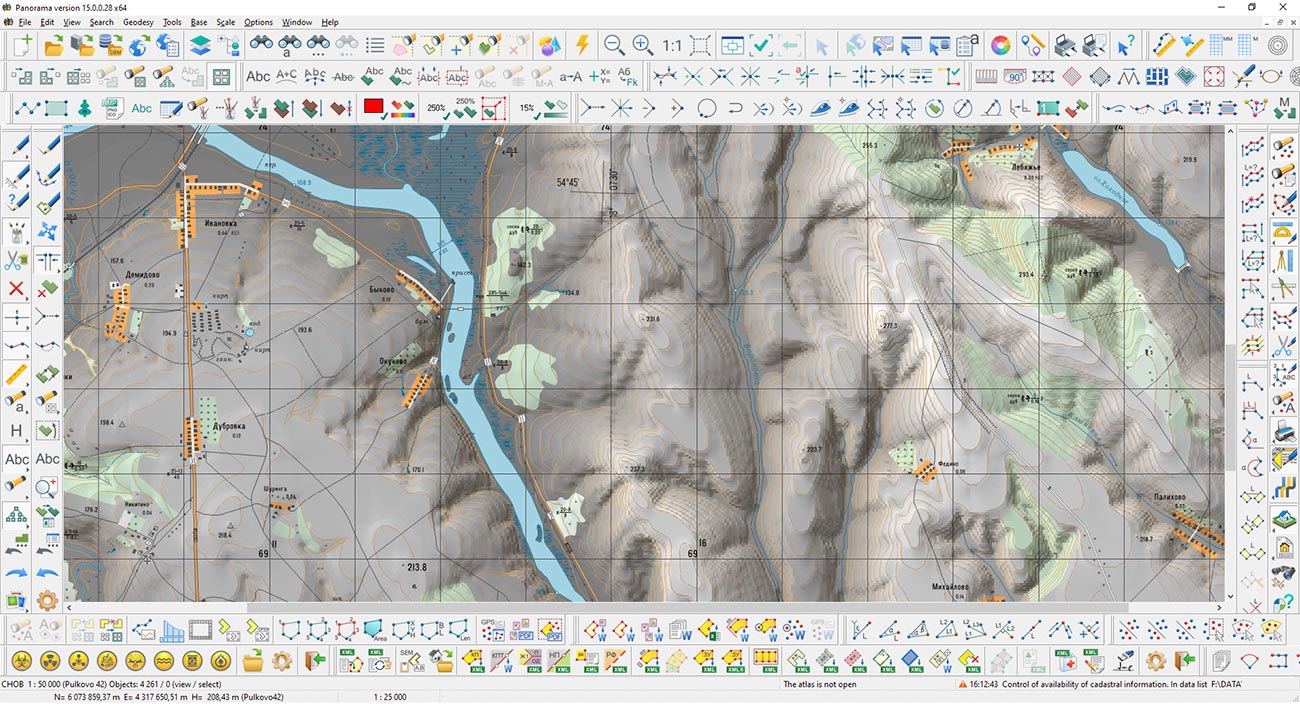
 Software is implemented for OC Red Hat, Debian, Fedora, QNX, CentOS, MS Windows and other;
 Compatiable with various means of providing Security (means of authorization, Data encryption, antiviruses, firewalls and other);
 Support for processors Intel, AMD, SPARC, MIPS, ARM, Elbrus and other;
 Users interface is implemented in russian, english, french and other languages.
The structure of GIS includes more than 100 different tasks, containing a variety of tools for processing spatial information about the area.
Developed editing tools of vector and raster maps of terrain and drawing of the applied graphic information onto a map. Support for several tens of various projections of maps and systems of coordinates, including systems of 42 years, PZ-90 , WGS-84 and others. Support of all scale range - from the on-storeyed plan up to a space- navigation chart of the Earth. The volume of one vector map can occupy several terabytes. One raster or matrix map can occupy up to 8 Gb.
Creation of new maps with automatic filling the parameters of projection by EPSG code or from the list of parameters in XML format.
Export of maps to formats SXF, MIF\MID, SHP\DBF (Shape), OGC GML (XML), KML (Google), DXF, S57.
General control of quality of a vector map and control of absolute heights.

Transformation of data (transformation of a vector map, transformation of raster data, transformation of photos, etc.).
Data processing (pre-tile preparation of OpenStreetMap data, construction of a mathematical basis, coordination of adjacent sheets, data uniting, construction of contours by a matrix of heights)
Control and correction of data (correction of objects metrics, construction of titles by semantics of objects, control of titles metrics, viewing statistics on objects, and so on.)
Geodesy tasks (calculating the parameters of Local Coordinate System by a set of points, calculation of datum parameters by a set of points)


It is intended for creation of titles by semantics of objects. In the process of creating titles their relative position is analyzed for an exception of crossing of titles.
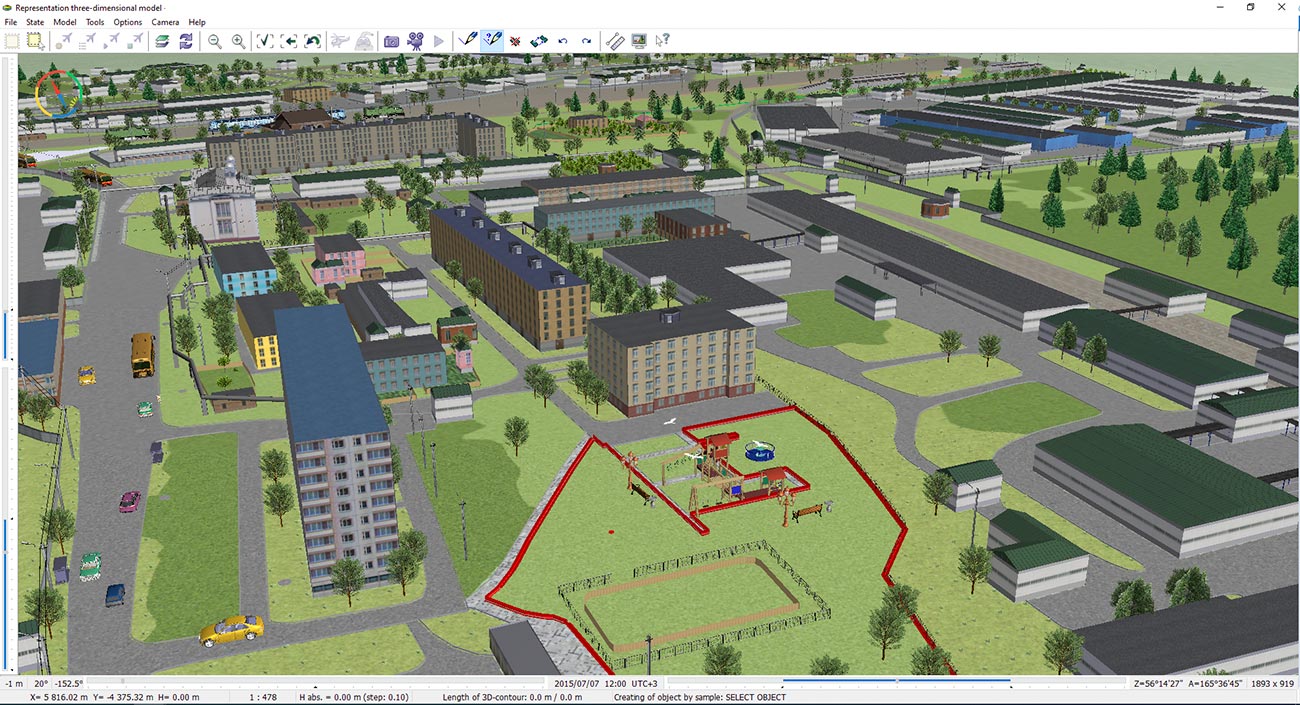
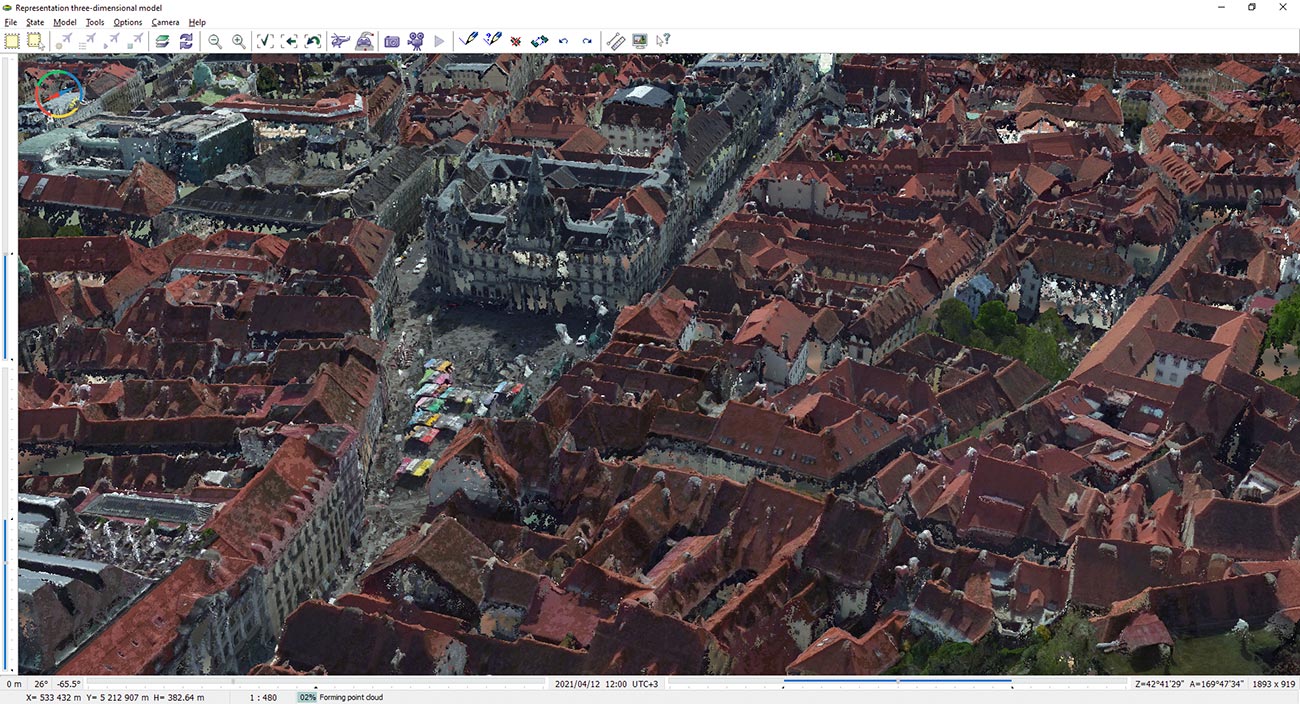
Construction of three-dimensional models of district, movement along it in real time. The surface of model can be formed with use of vector, raster or matrix maps, construction of the image of map objects, a choice of textures and a material of a covering is stipulated.
Construction of crossings or unions of objects contours of one list with another. Construction of the common zone around objects presented in the list. Selection on a map of objects of one list having certain spatial connection with objects of other list (entering, crossing, adjunction, deleting within the specified distance and so forth).
Tasks of the network analysis are search of the minimal path between knots in view of values of semantic characteristics of ribs of a network and finding of objects within the specified distance from the specified knot (graph of remoteness). The network model of data (road graph) is presented in the form of the user map containing objects: knot and a rib of a network with semantic characteristics in which the information on a network connectedness and attributes for solving the tasks of the network analysis are stored.

Support of the atlas of maps (fast transition between overlapped maps of different scales, systems of coordinates and projections). By means of the additional module - "MANAGER OF MAPS" convenient systematization of metadata about cartographical resources in your local network is accessible.
Interactive designing of information systems on the basis of the built-in constructor of forms, reports, SQL-queries. Various kinds of link of map's objects with records of tables of databases (from one to one up to many to many). Means of the analysis of data and constructions of graphs, diagrams, thematic mapping, geocoding.
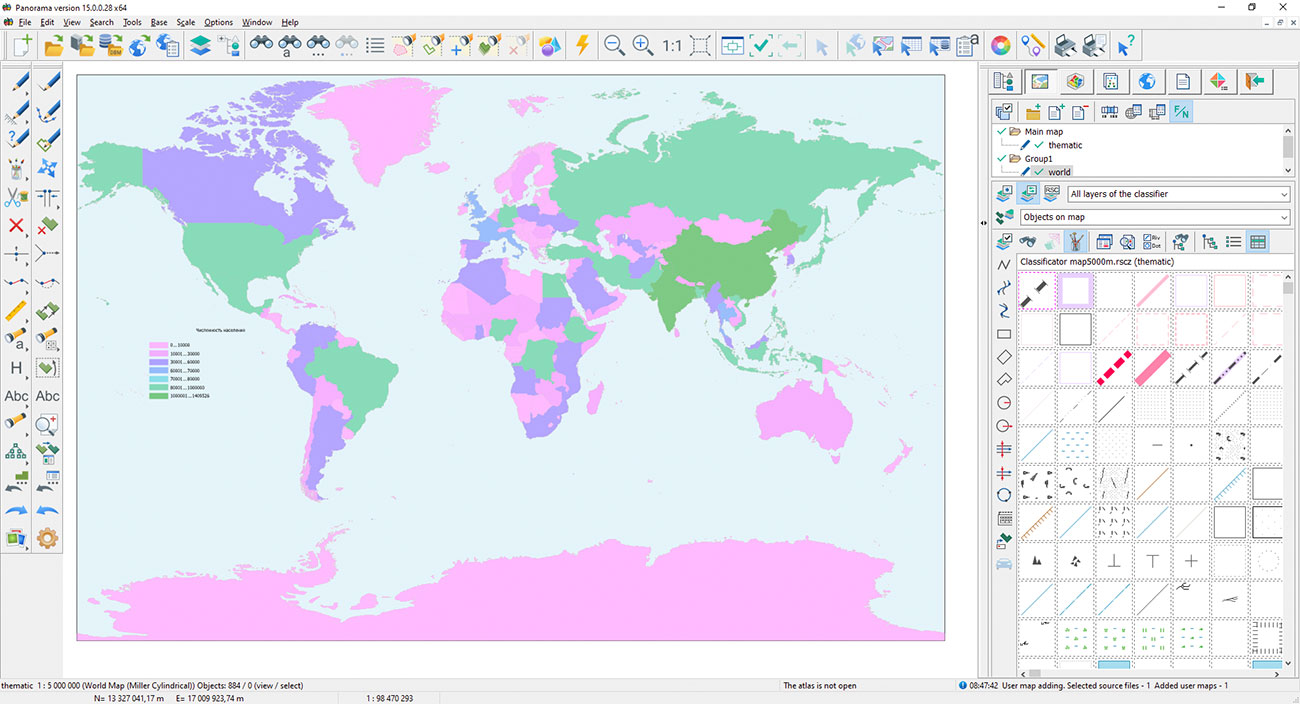
Creation of diagrams on a map by values of semantic characteristics or by values of the chosen fields of databases tables. At creation of cartograms there is an opportunity of proportional and disproportionate distribution of ranges of values of attributive characteristics.
Calculations on a plane and in space in view of distortions of projections, curvature of the Earth, three-dimensional coordinates, matrixes of heights and qualitative characteristics. Execution of overlay operations above multitude of objects. The control of a topological correctness of data. Search and selection of objects by values of attributive characteristics, by the sizes, by spatial position concerning other objects.

GIS "Panorama" allows to create and analyze models of the surfaces reflecting change of the specified characteristic. Surface model can display such properties of district as heights of a relief, concentration of pollution, quantity of rainfall, a level of radiation, remoteness from the specified object and others. The model can be formed in the form of a matrix of heights (MTW) or matrixes of qualities (MTQ).
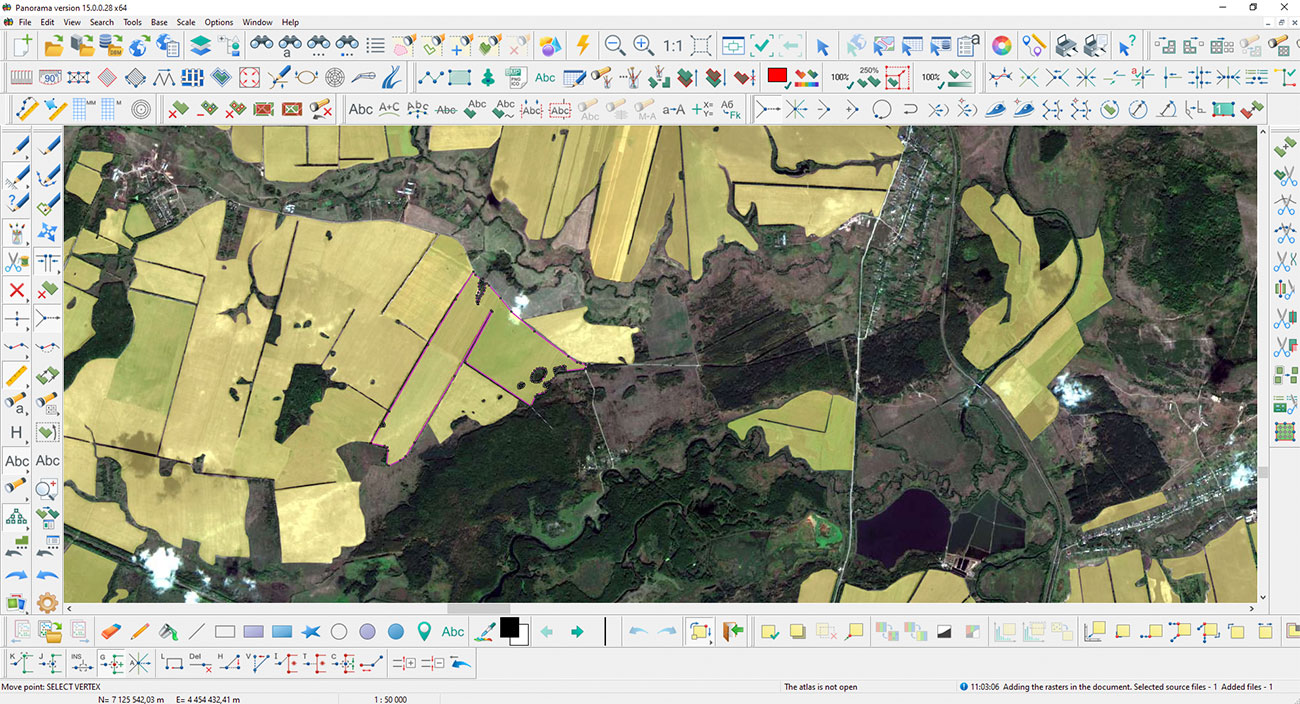
Creation and updating of digital maps, digital models of a relief and mathematical models of district according to data of air laser scanning and remote sensing of the Earth (RSE).

Support of the international standards and protocols of data exchange OGC WMS, OGC WMTS and TMS allows to receive any spatial information from services located in the Internet environment. Viewing images from Google and DigitalGlobe together with other spatial data allows to receive more visual information on necessary territory. As a substrate for any spatial data can act the services of GOOGLE, YANDEX, OPENSTREETMAP, KOSMOSNIMKI, YAHOO!, VIRTUALEARTH.
The complex for preparation of maps for printing is intended for improvement of visibility of the printing map with taking into account the requirements for maps designing, preparation of schemes, atlases and formation of the dismembered images of the map for offset printing.
Preparation and the print of complex reports including maps, graphics, multi-line text with different attributes, embedded Office documents and tables, out-of-frame designing, coordinate grids and other elements. Print of an digital map on the various output devices and output to PostScript. Preview the document prepared for printing, customizing the parameters of printing small map runs.

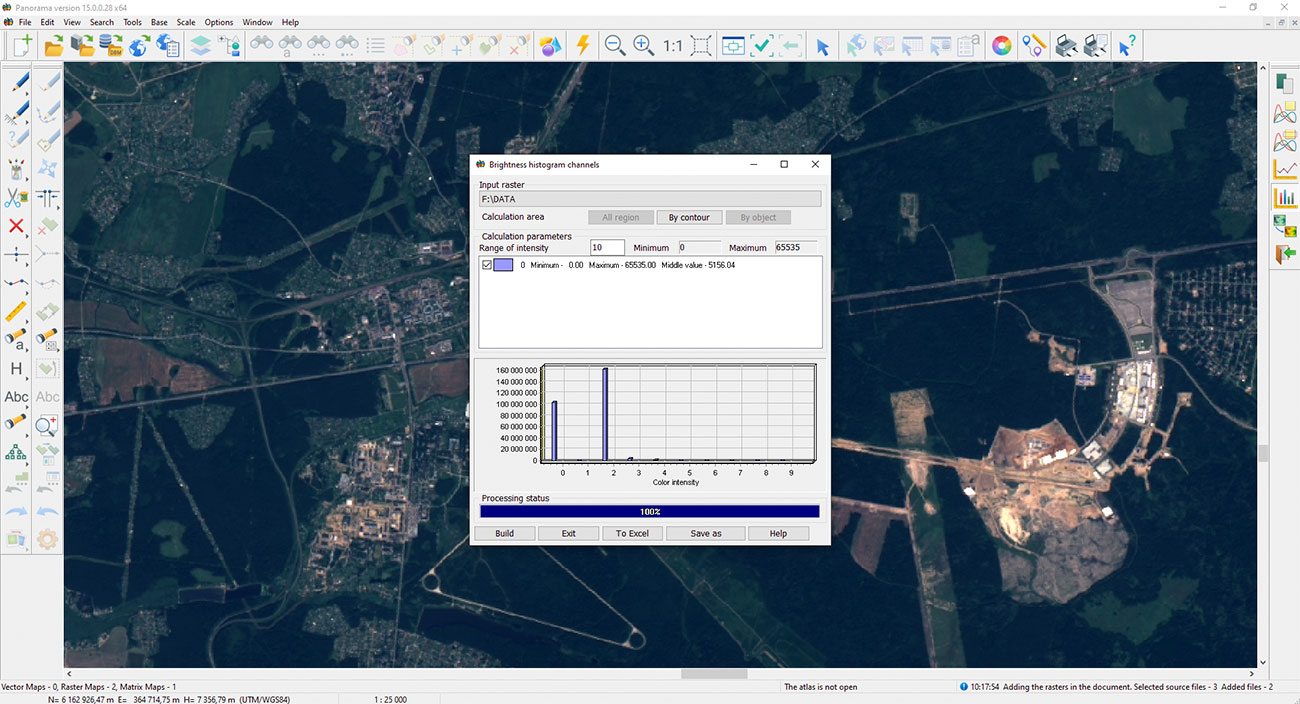
Complex of analysis of multispectral images is intended for calculation of statistics on channels and settings of displayed channels of a multispectral image. Multispectral images are processed in files of GeoTIFF format without additional transformation to internal RSW format.
Displaying of own position on a map background. Recalculation of the coordinates received in systems GLONASS (PZ-90) and NAVSTAR (WGS-84) into system of coordinates of 42 year. Displaying of three-dimensional coordinates, speeds and an azimuth of movement, distance, an azimuth onto the specified point and other parameters. Displaying of the traversed path and a choice of routes for the further movement.
Ph.: +7 (495) 739-0245, +7 (925) 221-1603
www.gisinfo.ru | panorama@gisinfo.ru
105005, Russia, Moscow, Baumanskaya Street 7, building 1, office 229 (m. Baumanskaya)
Copyright © Panorama Group 1991 - 2024


 Mobile version
 Full version